

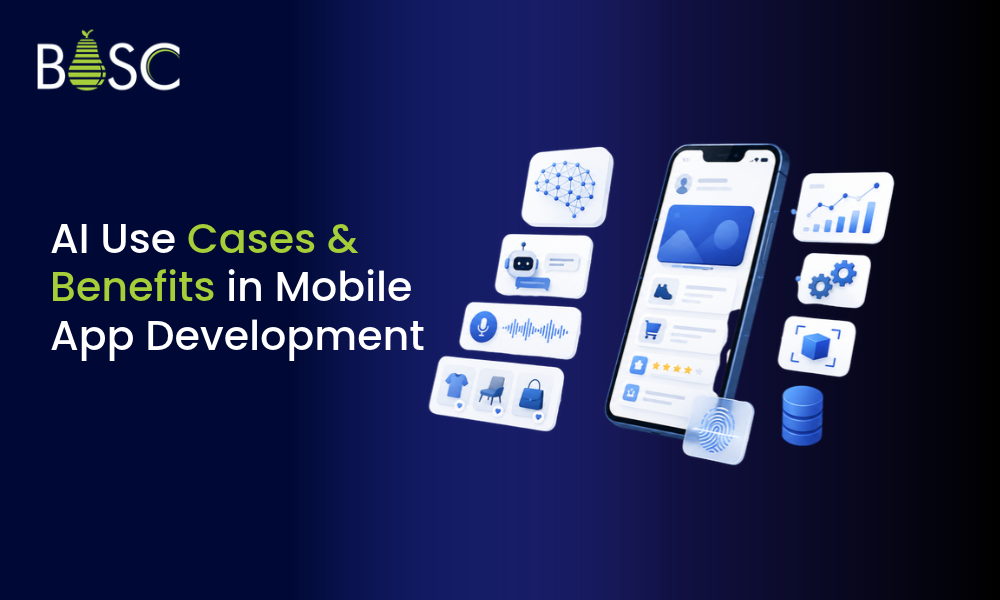
AI is becoming an important part of mobile app development, helping apps understand users, automate tasks, and deliver better experiences. Businesses use AI for recommendations, chatbots, data analysis, and personalized features. In this guide, we’ll explore key AI use cases in mobile app development, their benefits, examples, and challenges. You can also explore AI app development services for AI-powered app solutions.
What Is AI in Mobile App Development?
AI in mobile app development means using artificial intelligence technologies to help a mobile application perform tasks that normally require human-like understanding or decision-making. Depending on the use case, an app can use AI to:
- Understand text and voice
- Recognize images and objects
- Recommend products or content
- Answer customer questions
- Predict user behavior
- Detect unusual activity
- Generate content
- Automate repetitive tasks
- Analyze large amounts of data
For example, a shopping app can use AI to recommend products based on a user’s interests, while a banking app can use AI to identify unusual transaction patterns. The right AI feature depends on what the app needs to accomplish.
Benefits of AI in Mobile App Development
AI can provide several practical benefits when it is implemented around a clear business or user requirement.
Better User Experience
AI can help applications understand what users are looking for and make interactions more relevant. For example, a music app can recommend songs based on listening habits, while a shopping app can display products related to previous searches. Instead of providing the same experience to everyone, AI can help an application respond to individual user behavior.
Personalized Recommendations
Recommendation systems are one of the most common AI applications in mobile apps. AI can analyze information such as:
- Previous searches
- Purchases
- Viewed content
- User preferences
- Interaction history
Based on this information, the app can recommend relevant products, videos, articles, services, or other content. This can make it easier for users to discover information or products that match their interests.
Automation of Repetitive Tasks
AI can reduce the amount of manual work involved in common app processes. For example, an application can use AI to categorize customer requests, summarize information, extract data from documents, or answer frequently asked questions. This can save time for both users and support teams.
Faster Customer Support
AI-powered chatbots and virtual assistants can answer common questions directly inside a mobile application. They can help users with tasks such as:
- Checking order information
- Finding account details
- Answering common questions
- Guiding users through app features
- Providing basic troubleshooting
For more complex issues, the conversation can be transferred to a human support representative.
Better Data Analysis
Mobile applications can generate a large amount of user and business data. AI can help identify patterns in that data and provide useful insights. For example, an app can analyze user activity to identify which features are frequently used, where users stop during a process, or which types of content receive more engagement. These insights can help product teams make better decisions about future improvements.
Improved Security
AI can also support mobile app security. Applications can use AI to identify unusual login behavior, suspicious transactions, abnormal activity, or patterns that may require additional verification. AI does not replace traditional security controls, but it can provide another layer of monitoring.
AI Use Cases in Mobile App Development
Businesses can use AI in mobile apps in several ways, but there is no single feature that works for every app. The right choice depends on the users, the business problem, and the data available.
AI-Powered Chatbots
AI chatbots can provide automated assistance within mobile applications. Modern AI chatbots can understand natural language and respond to a wider range of user questions than simple rule-based systems. Common applications include:
- Customer support
- Product information
- Order assistance
- Appointment support
- Account-related questions
- Frequently asked questions
For businesses that receive many repetitive customer questions, an AI chatbot can help reduce the workload on support teams.
Voice Recognition and Voice Assistants
Voice AI allows users to interact with an application using spoken commands. For example, users can:
- Search for information
- Create reminders
- Control app features
- Dictate text
- Ask questions
- Navigate certain functions
Voice-based interaction can be useful when typing is inconvenient or when users want a faster way to interact with an application.
Image Recognition and Computer Vision
AI can help mobile apps understand images and video. For example, an application can use computer vision for:
- Object recognition
- Face detection
- Document scanning
- Product identification
- Image classification
- Visual search
A retail application could allow users to take a picture of a product and find similar products in its catalog.
Personalized Recommendations
AI can analyze user behavior and recommend content, products, or services. Streaming platforms, e-commerce applications, news apps, and learning platforms can use recommendation systems to make their content more relevant to each user. The quality of recommendations depends on the available data and how the recommendation system is designed.
Predictive Analytics
Predictive analytics uses historical and current data to identify patterns that may help estimate future behavior or outcomes. In mobile applications, this can be used for:
- Demand forecasting
- Customer behavior analysis
- Product recommendations
- Churn prediction
- Risk analysis
- Usage forecasting
For example, a subscription application may analyze user activity to identify patterns associated with users becoming less active.
Generative AI
Generative AI can create new content based on user instructions or application data. Mobile apps can use generative AI for:
- Text generation
- Content summaries
- Product descriptions
- Personalized messages
- Question answering
- Image generation
- Writing assistance
For example, a productivity app could use generative AI to summarize notes or create a draft from a user’s instructions.
Intelligent Search
Traditional search often depends on exact keywords. AI-powered search can understand the intent behind a query and return more relevant results. For example, instead of searching for an exact product name, a user could describe what they need in natural language. This can make search more useful in e-commerce, travel, education, healthcare, and content-based applications.
AI-Based Fraud Detection
Financial and e-commerce applications can use AI to identify unusual transaction patterns. The system can analyze factors such as:
- Transaction behavior
- Account activity
- Device information
- Location patterns
- Frequency of transactions
When unusual behavior is detected, the application can trigger additional verification or review.
AI-Powered Content Moderation
Apps that allow users to upload text, images, or videos may need to identify inappropriate or harmful content. AI can assist with content moderation by analyzing uploaded material and flagging content that may violate platform rules. Human review can still be used for cases where automated systems are uncertain.
AI for Mobile App Analytics
AI can help businesses understand how users interact with their mobile applications. It can identify patterns such as:
- Frequently used features
- Common user journeys
- Drop-off points
- Changes in engagement
- Unusual activity
These insights can help product teams decide which areas of an app need improvement.
Real-World Examples of AI in Mobile Apps
AI is already used across many popular mobile applications.
Starbucks
Starbucks uses AI and data-driven technology to support personalized recommendations and customer experiences through its digital ecosystem.
Snapchat
Snapchat uses AI and computer vision technologies in features such as lenses and image effects.
Google Photos
Google Photos uses AI to help organize and search images based on their visual content.
Grammarly
Grammarly uses AI-based language technology to provide writing suggestions and improve text.
Hopper
Hopper uses data analysis and predictive technology to help users understand travel pricing and make booking decisions.
Nike
Nike has used AI and digital technologies in its mobile experience to provide personalized shopping and product-related experiences. These examples show that AI can be used for many different purposes. A business does not need to copy a large company’s entire AI system. A smaller application can start with one focused feature that solves a specific problem.
AI Features You Can Add to a Mobile App
Depending on your application, you may consider features such as:
- AI chatbot
- Voice assistant
- Personalized recommendations
- AI-powered search
- Image recognition
- Document scanning
- Predictive analytics
- Generative AI assistant
- Automated content generation
- Fraud detection
- Sentiment analysis
- Smart notifications
- AI-powered analytics
- Content moderation
The goal should not be to add AI simply because it is popular. The feature should have a clear purpose and provide value to the user or business.
How to Integrate AI Into a Mobile App
Adding AI to an existing or new mobile app usually takes a few practical steps.
1. Identify the Problem
Start by identifying the problem you want AI to solve. For example:
- Customers ask the same questions repeatedly.
- Users struggle to find relevant products.
- Support teams spend too much time on repetitive tasks.
- Users need better search results.
- The application generates too much data to analyze manually.
A clear problem makes it easier to select the right AI solution.
2. Understand Your Data
AI systems often depend on data. Before development begins, determine:
- What data is available?
- Where is the data stored?
- Is the data accurate?
- Is it sufficient for the intended use case?
- Are there privacy or security requirements?
Poor-quality data can affect the performance of an AI feature.
3. Choose the AI Technology
The technology should match the problem. For example:
- NLP for text and language
- Speech recognition for voice interaction
- Computer vision for images and video
- Recommendation systems for personalization
- Machine learning for prediction
- Generative AI for content and conversational features
Not every application needs a complex AI model.
4. Connect AI With the Mobile App
The AI system needs to work with the application’s existing architecture. Depending on the use case, the mobile app may communicate with an AI service through APIs or a backend system. Security, response time, data handling, and scalability should be considered during integration.
5. Test the AI Feature
AI features should be tested with real-world scenarios. Testing should look at:
- Accuracy
- Response time
- Incorrect responses
- User experience
- Security
- Data handling
- Edge cases
For generative AI features, testing should also consider whether the system produces irrelevant or incorrect information.
6. Monitor and Improve
AI development does not necessarily end when the feature goes live. User behavior and data can change over time. Businesses should monitor the AI feature and improve it when necessary. Regular evaluation can help maintain accuracy, reliability, security, and usefulness.
AI vs Traditional Mobile App Features
AI-powered features and traditional application features can both be useful. The right choice depends on the problem.
| Feature | Traditional Mobile App | AI-Powered Mobile App |
|---|---|---|
| User experience | Mostly predefined | Can adapt based on user behavior |
| Recommendations | Rule-based | Can use user and behavioral data |
| Customer support | Manual or fixed responses | AI-assisted conversations |
| Search | Keyword-based | Can understand user intent |
| Analytics | Reports historical data | Can identify patterns and predict trends |
| Automation | Limited to predefined rules | Can handle more complex tasks |
| Personalization | Usually predefined | Can change based on user activity |
| Content creation | Usually manual | Can generate or assist with content |
AI is not always necessary. If a simple rule or traditional feature can solve the problem effectively, adding AI may add unnecessary complexity.
Challenges of Using AI in Mobile App Development
AI can add useful capabilities, but it also brings a few challenges that need to be planned for from the beginning.
Data Privacy
Mobile applications may handle personal, financial, or sensitive information. Businesses need to understand what data is collected, how it is processed, where it is stored, and who can access it. Privacy requirements should be considered before selecting an AI solution.
Accuracy
AI systems can make mistakes. Applications that provide important information should have appropriate validation, safeguards, and human review where necessary.
Development Cost
AI development can require additional work involving data preparation, model integration, testing, infrastructure, and ongoing monitoring. The cost depends on the type and complexity of the AI feature.
Performance and Response Time
Some AI features require communication with external servers or AI services. If the response takes too long, it can affect the user experience. Developers should consider performance during the design stage.
Security
AI features introduce additional data and integration points. Authentication, authorization, API security, data protection, and monitoring should be part of the development process.
Ongoing Maintenance
AI systems may require continuous monitoring and improvement. Models, APIs, data, application requirements, and user behavior can change over time.
AI vs Traditional App Development: Which One Should You Choose?
It really comes down to what you want the app to do and how users interact with it. A traditional approach may be enough when:
- The process is simple and predictable.
- Rules do not change frequently.
- Users do not need personalization.
- A fixed workflow solves the problem.
AI may be useful when:
- User behavior needs to be analyzed.
- Recommendations need to change based on activity.
- The application needs natural language interaction.
- Large amounts of data need to be analyzed.
- Users need predictions or intelligent suggestions.
- Repetitive tasks can be automated.
The goal should be to choose the simplest technology that solves the actual problem effectively.
When Should You Add AI to Your Mobile App?
AI may be worth considering when you have a clear problem that benefits from automation, prediction, personalization, or intelligent interaction. Consider AI if:
- Users need personalized recommendations.
- Your support team handles many repetitive questions.
- Your app needs intelligent search.
- You have large amounts of data to analyze.
- Users need voice or image-based interaction.
- Your business needs prediction or forecasting.
- You want to automate repetitive processes.
- Your application needs an AI assistant.
However, AI should not be added just to follow a trend. A simple feature may sometimes provide a better solution than an AI-based system.
How Much Does AI Mobile App Development Cost?
The cost of AI mobile app development depends on the feature and technical requirements. Factors that can affect the cost include:
- Type of AI feature
- Mobile platforms
- AI model or API requirements
- Data preparation
- Backend development
- Third-party integrations
- Security requirements
- Testing
- Infrastructure
- Ongoing maintenance
A simple AI chatbot and a complex computer vision system can have very different development requirements. For this reason, the use case should be clearly defined before estimating development costs.
Frequently Asked Questions
What is AI in mobile app development?
AI in mobile app development means using artificial intelligence to add capabilities such as personalization, chatbots, voice interaction, prediction, image recognition, intelligent search, and automation to a mobile application.
What are the most common AI use cases in mobile apps?
Common use cases include AI chatbots, personalized recommendations, voice assistants, computer vision, predictive analytics, intelligent search, fraud detection, content moderation, and generative AI.
What are the benefits of AI in mobile app development?
AI can help improve user experience, personalize content, automate repetitive tasks, provide faster customer support, analyze data, improve search, and support security monitoring.
Can AI be added to an existing mobile app?
Yes. AI can often be added to an existing mobile application through APIs, backend integration, AI services, or custom models. The approach depends on the app’s architecture and the AI feature being added.
How do you integrate AI into a mobile app?
The process generally includes identifying a problem, evaluating available data, selecting the appropriate AI technology, integrating the AI system with the app, testing the feature, and monitoring its performance after launch.
Final Thoughts
AI can improve a mobile app in several practical ways. From chatbots and personalized recommendations to computer vision, predictive analytics, intelligent search, and generative AI, businesses can use AI to solve different user and operational challenges. However, successful AI mobile app development starts with a clear purpose. Businesses should first identify the problem, understand their data, select the right technology, and test the feature before expanding it. The best AI feature is not necessarily the most complex one. It is the one that provides a clear benefit to users or the business while remaining practical, secure, and maintainable.